
Proxmox VE orchestration tool
-
VM automation
Automated management for clusters, VMs & training environments
The Proxmox VE orchestration tool from partimus provides a central platform to efficiently manage and automate Proxmox clusters, virtual machines and networks.
From VM deployments, SDN features and firewall rules to full integration in NetBox – the tool covers the entire infrastructure management. Security functions such as process scanners and anomaly detection increase transparency and protect productive and test-based environments. At the same time, a scheduler enables automated VM creation and deletion, ideal for training, testing or workshops.
- Proxmox VE Integration
- Automated VM processes
- Integrated security & monitoring
Cluster management centralized & automated
The Proxmox VE orchestration tool brings together all the important functions for managing Proxmox VE instances in one interface. From deployments and firewall rules to user provisioning – all steps are clearly structured, automated and traceable at all times.
Even without a network connection
z. e.g. training environments
Automatically add users to VMs
incl. malware, rootkit & cryptominer detection
VMs, networks, resources
For optimum VM distribution
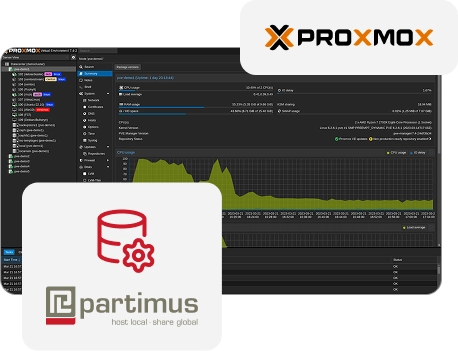
Fully integrated in Proxmox - flexible for any environment
The orchestration tool is fully integrated into the Proxmox VE API and offers interfaces to NetBox, Grafana and security modules. This allows productive systems, test environments and training landscapes to be managed equally efficiently.
All clusters, nodes and VMs are managed directly via the Proxmox API. This means that the tool is stable, secure and works without additional systems.
Any changes to VMs, networks or storage are automatically updated in NetBox. This keeps the documentation up to date at all times.
The process scanner detects malware, rootkits and cryptominers in real time. In addition, Grafana metrics provide transparent insights into resources and anomalies.
The integrated scheduler can be used to automatically create VMs for workshops, training courses or tests and delete them again after completion.
Companies can expand functions, workflows or integrations so that the tool remains scalable even as infrastructures grow.
Challenges in Proxmox administration
Many IT teams face the challenge of having to maintain VMs, clusters and documentation manually – a time-consuming process with a high risk of error. The orchestration tool fully automates these processes and ensures structured, secure and efficient management of the entire environment.
- Time-consuming manual provisioning of VMs
- No central overview of clusters & security
- Time-consuming setup for training & testing
- Incomplete documentation of changes in NetBox
- High effort for monitoring & fault diagnosis
- Cluster management and VM deployments from a single interface
- NetBox synchronization for consistent documentation
- Security integration with process scanner & anomaly detection
- Scheduler for training and test environments
- Transparent reports via Grafana export
Orchestrate your Proxmox environment efficiently and securely
Prices for your Proxmox VE orchestration tool
The partimus orchestration tool is offered as a monthly subscription with individual prices depending on the size of your clusters and the required range of functions. The license includes all updates, support and the option to submit your own feature requests. Individual extensions and customizations are calculated on a time and material basis.
✅ All software updates
✅ Access to new features
✅ Possibility for feature requests
✅ Custom adjustments at cost
*All prices are monthly/non-recurring fees plus VAT. Our offer is aimed exclusively at traders.
Who is the Proxmox orchestration tool suitable for?
The orchestration tool was developed for companies that not only want to manage their Proxmox environment, but also strategically develop it further. Whether productive clusters, test systems or temporary training environments – the tool ensures that resources are used efficiently, security risks are identified early on and administrative processes are noticeably simplified. The solution is particularly suitable for organizations that value automation, clear documentation and stable operating processes.
For medium-sized companies that operate several Proxmox nodes or clusters, the tool offers a central control interface that significantly speeds up administration, provisioning and security checks and considerably reduces the complexity of day-to-day administration.
Teams that need to ensure a high level of operational security benefit from the integrated monitoring and security functions, which make suspicious processes, anomalies and potential threats visible at an early stage and integrate seamlessly into existing compliance structures.
Organizations that regularly require temporary VM environments can use the scheduler to automatically create complete scenarios and remove them again after use, saving time, resources and manual configuration work.
Companies that use NetBox as a central system for documentation benefit from the fact that all changes to VMs, networks and storage structures are automatically synchronized so that documentation remains complete, accurate and up-to-date at all times.
In environments with many nodes, hosts or heterogeneous workloads, the orchestration tool supports automated placement decisions, optimized resource usage and a clear overview, which sustainably improves the stability and performance of large clusters.
Get started with partimus
Take the opportunity to optimize your IT infrastructure and drive your business forward – contact us today to find out more about the tailored benefits partimus can offer you.
Questions and answers about the orchestration tool
How does the orchestration tool integrate into existing Proxmox clusters?
The tool connects directly via the Proxmox VE API and automatically detects all nodes, VMs and network resources. This means it can be integrated directly into existing clusters and immediately adds automation and management functions.
Can the orchestration tool also create training environments automatically?
Yes, the integrated scheduler can be used to create complete VM environments for workshops, training courses or tests on a time-controlled basis and delete them automatically after use. This saves IT teams a lot of time and significantly reduces manual preparation steps.
What security functions does the orchestration tool offer?
The orchestration tool has a process scanner that detects suspicious activities such as malware, rootkits or cryptomining. In addition, anomalies can be visualized via Grafana so that unusual behaviour becomes visible at an early stage.
How does the integration with NetBox work?
All changes to VMs, networks, storage or resources are automatically synchronized with NetBox. This ensures that the documentation is always complete and up-to-date, without admins having to update information.
Is the solution suitable for large clusters and growing infrastructures?
Yes, the tool was developed for environments with multiple nodes and complex workloads and scales easily. Functions such as the placement algorithm support optimum resource utilization and stable operation, even in larger cluster landscapes.